The 5 AI prompts that turn a rambled shift into a clean, NDIS-ready progress note — from the phone already in your pocket.
The 5 prompts that deliver the fastest wins from AI for NDIS Support Workers — the Master Progress Note, the incident structurer and more. In your inbox in about a minute, updated free whenever the tools change.
Runs on the free version of ChatGPT. No subscription, nothing to buy, nothing to install beyond what’s on your phone now. One-click unsubscribe, and I never share your email — see the privacy policy.
Talk the shift into your phone in the car park — get back a clean, factual, objective progress note in the language your provider expects. Personal care, group, behaviour support and overnight variants included.
The structurer that separates what you saw from what you thought: date, time, location, sequence, actions, notifications. Your observations marked as observations, and nothing invented to fill a gap.
The note the next worker can read in a driveway and know exactly what they're walking into — current state, what happened, what's set up, what to watch.
The boundary message, the availability change, declining a shift without the guilt essay, the proper apology. Firm where it counts, warm where it matters, never grovelling.
The goal-language translator that turns what you actually did into the words a plan review is looking for — plus the progress summary that writes itself from your notes.
If you invoice for yourself: service agreements, rate conversations, the three-rung reminder ladder, cancellation charges and expense sorting. AI drafts it, you check it, you get paid.
“Right, morning shift, three hours, community access. Picked up at ten, we did the shopping at the big Coles then the library like he wanted. He was a bit flat at the start, said he didn't sleep, but he picked up once we were out. Used the list on his phone for the shopping himself which is the goal so that's good. Bit of a wobble at the checkout, crowded, he got a bit overwhelmed, we stepped outside for five minutes and he was fine. Home by one, made his lunch, all good. Told the coordinator about the checkout thing.”
Support provided: Community access, 3 hours. Assisted the participant with grocery shopping and a visit to the local library, both selected by the participant.
| Engagement | Participant reported poor sleep and presented as flat at commencement. Engagement improved once in the community. |
| Progress toward goals | Participant independently used a written list on his phone to complete the shopping, consistent with his independent-living goal. |
| Notable event | At the checkout the participant reported feeling overwhelmed in a crowded area. Support worker and participant stepped outside for approximately 5 minutes; participant settled and the outing continued. |
| Follow-up | Coordinator notified of the checkout incident on the same day. |
Objective, ordered, no diagnoses, no opinions dressed as facts — and the participant is never named. You put the name in yourself when you paste it into the portal.
Every detail in that note came out of the ramble. Nothing was invented — anything you don’t say comes back as a question instead of a guess. This is the worked example from Chapter 4, and the prompt behind it is the first of the free five.
I’m Dan Harrigan. I build automation tools for a living, out of Far North Queensland. Every working day I do the thing this book teaches — talk a mess of notes at a machine and get a finished document back — so I’ve found out the hard way where it works and exactly where it will drop you in it.
What started this was watching people finish a shift and then lose another forty minutes to notes that should have taken five. That problem has been solved for about two years. Nobody told the sector, because everyone writing about AI is writing for people who sit down at work.
The privacy chapter in this book is the one I’d want you to read even if you read nothing else. Participants’ names never go near a chat window — not once, not ever — and the system in Chapter 3 makes that automatic rather than something you have to remember at 9pm.
The Australia Edition
Book owners get the complete 36-prompt library as a free download — the Starter Five is just the warm-up. And the prompts are only the tools; the book is the system: the privacy method that keeps participants de-identified without slowing you down, the 30-day plan that installs the whole thing ten minutes at a time, and the guardrails — what AI is genuinely good at in support work, and exactly where it will burn you.
No hype, no jargon, nothing you need to be a tech person for. If you can leave a voicemail, you can run every system in this book.
Kindle and paperback go up the same day. If you’re already on the list for the free prompts you’re covered — do nothing, the link comes to you.
Do I have to pay for anything to use this? No. Everything in the free pack and everything in the book runs on the free version of ChatGPT. If you already pay for one it’ll be a bit quicker, and that’s the whole difference.
Is this allowed? What about privacy? The system is built so the participant is never identifiable — no name, no address, no NDIS number, nothing that would let a stranger work out who you mean. You write about “the participant” and put the name in yourself at the end, in your provider’s system. That habit takes ten seconds and there’s a whole chapter on it, because it’s the chapter that keeps you out of trouble. Check your own provider’s policy too — some have specific rules about AI tools, and this book tells you what to ask.
Will it make things up? It will if you let it — which is why every prompt in the pack is built to ask rather than guess. If you didn’t say it, it doesn’t go in the note. Nothing clinical, nothing diagnostic, no opinions dressed up as observations. You supply the facts, you check the output, every time.
Will it sound like a robot? Out of the box, yes — which is why most people try AI once and give up. The prompts are the fix: plain, factual, professional support-work English. No “we are delighted to present”, no dramatising, no filler.
I’m hopeless with computers. If you can leave a voicemail you can run every system in this book. Nothing to install, nothing to configure, and no typing beyond what you’d put in a text message. Talking beats typing the whole way through — that’s the point of it.
Everyone’s flogging AI at the moment. They are, and most of it is written for people who sit down at work. Take the free five, run them on tonight’s shift, and if they’re no good you unsubscribe in one click and you’re out an email address.
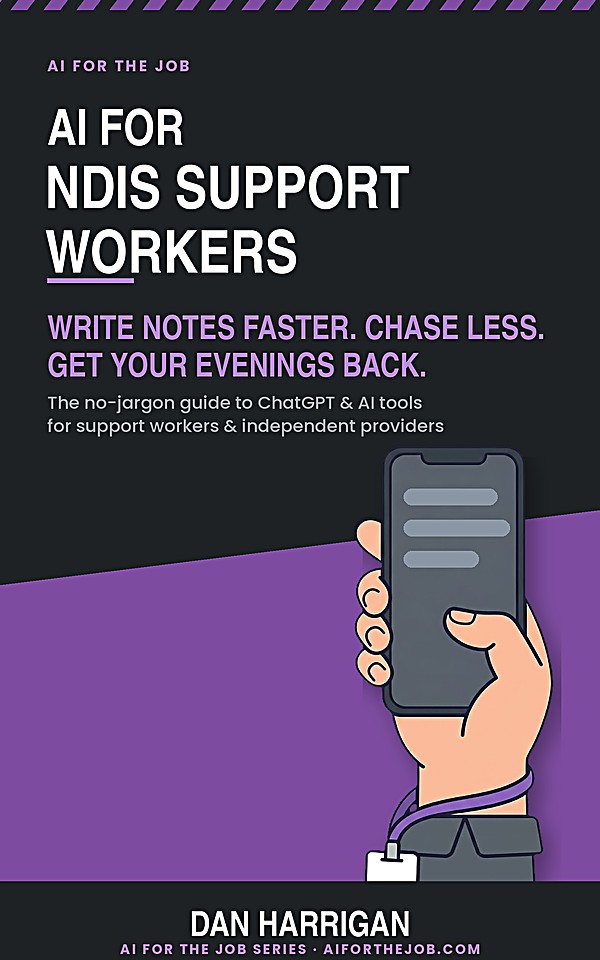
Five copy-and-paste prompts, one PDF, nothing to install. Run the first one at the end of your next shift.
Send Me the Five Prompts